With Rollover Ringing, Never Miss Calls
Built for businesses that can’t afford missed calls. When one phone doesn’t answer, calls automatically roll over to the next available person.
Trusted by


When you don’t answer, don’t send them to voicemail
You’re busy with a customer and can’t take another call. Your team member is available but the call goes to voicemail instead. Lost opportunities because calls don’t reach available people.
With Community Phone, calls find someone who can answer
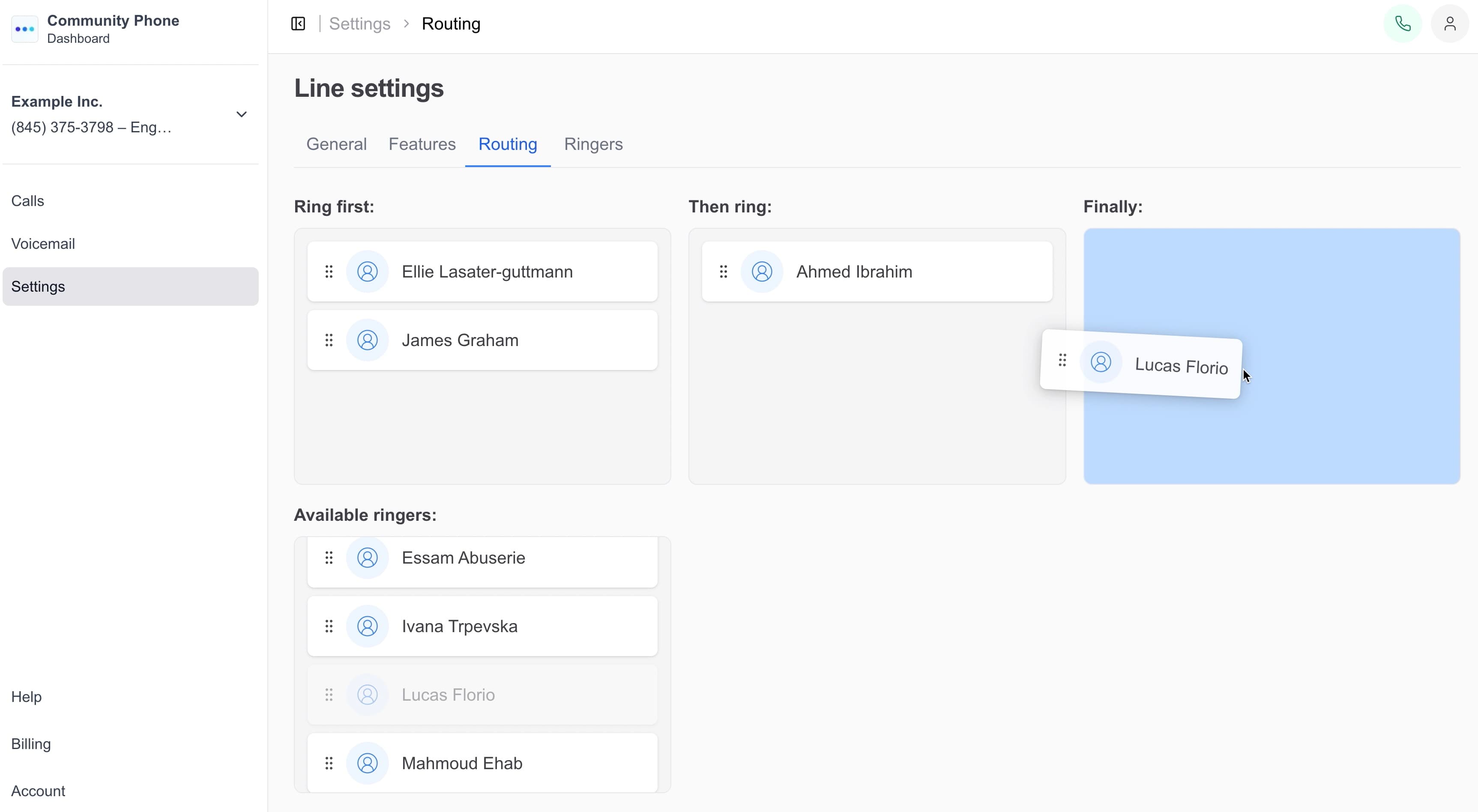
Set up automatic rollover so unanswered calls try the next phone in sequence. Calls keep trying team members until someone answers or all options are exhausted.
Flexible.
Drag-and-drop.
Customers Love Us
- Customers Nationwide
- 25,000+
- 4.7 stars across 1,100+ reviews

Frequently asked questions
Have a different question and can’t find the answer you’re looking for?
Reach out to our support team by calling us at (866) 969-4886.
- How does rollover work?
- When the first phone doesn’t answer within your set time limit, the call automatically tries the next phone in your sequence until someone answers.
- Can I set how long each phone rings?
- Yes. Configure how many seconds each phone rings before rolling over to the next person in the sequence.
- What happens if no one answers?
- After trying all phones in your rollover sequence, the call goes to voicemail so customers can still leave a message.
- Can I change the rollover order?
- Absolutely. Rearrange the rollover sequence anytime through your dashboard to match your team’s availability.
- Does rollover work for multiple business lines?
- Yes. Set up different rollover sequences for different business lines based on the type of calls each line receives.
Stop Losing Calls to Voicemail
Set up rollover so someone always answers.
Ready for phone service that actually works? Talk to our team—real humans, under 2-minute wait times.